Understand your history.
Find commits and follow the relationships between branches in a readable graph.
Read the Git graph guide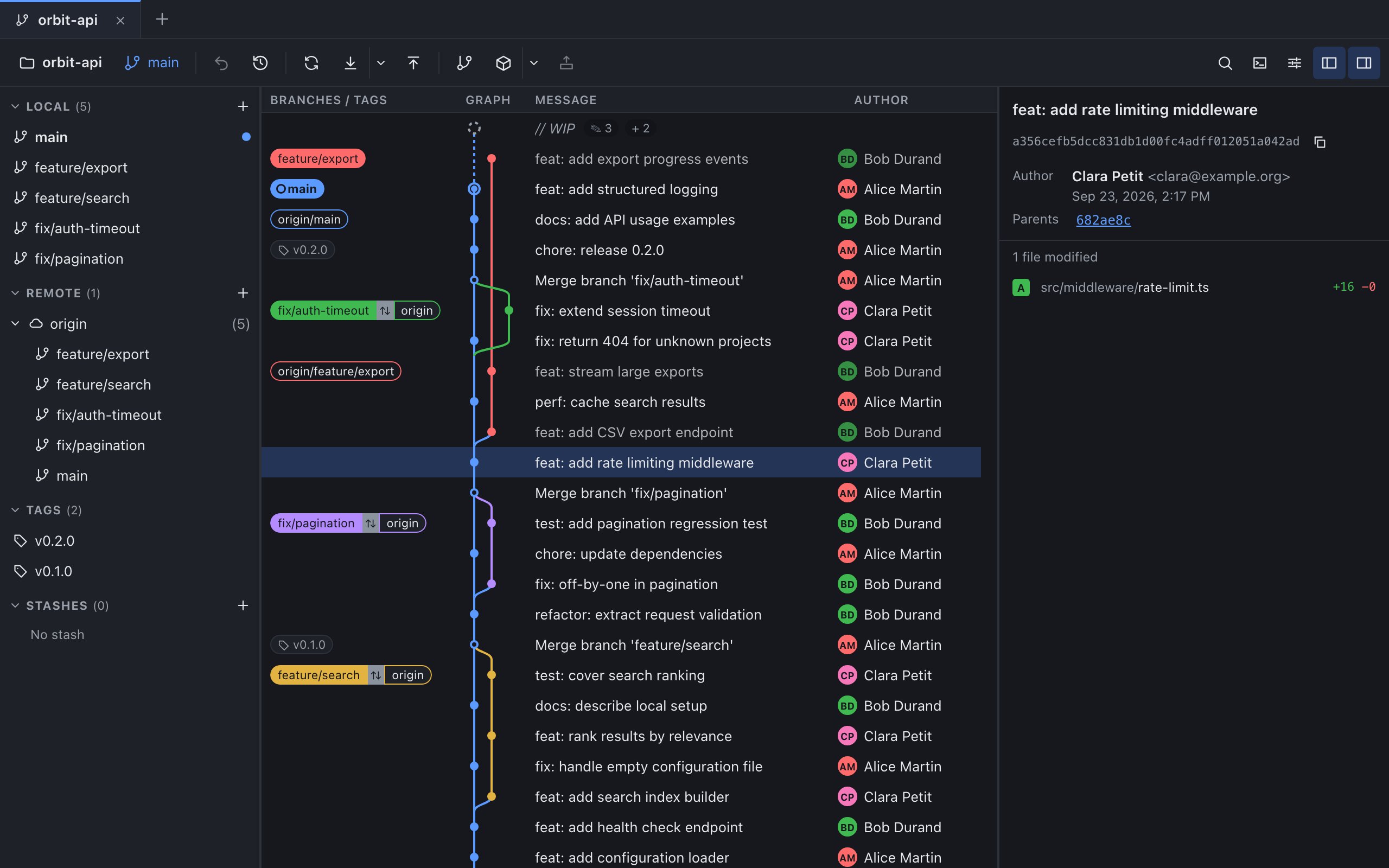
A simpler view of Git.
See your history, prepare your commits and organize your branches in one clear interface.
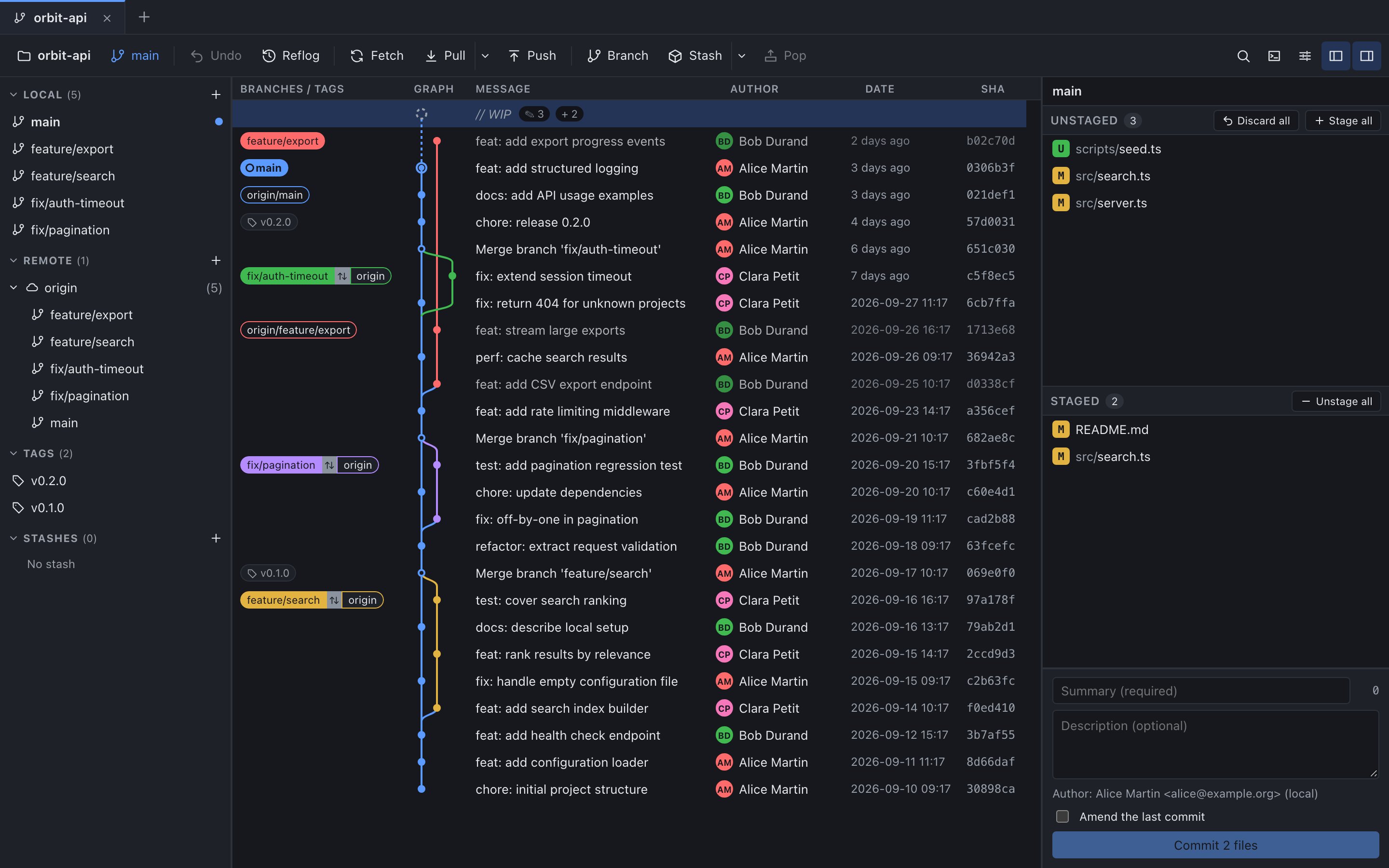
Find commits and follow the relationships between branches in a readable graph.
Read the Git graph guideReview your changes and choose the files or hunks to include.
Read the staging guide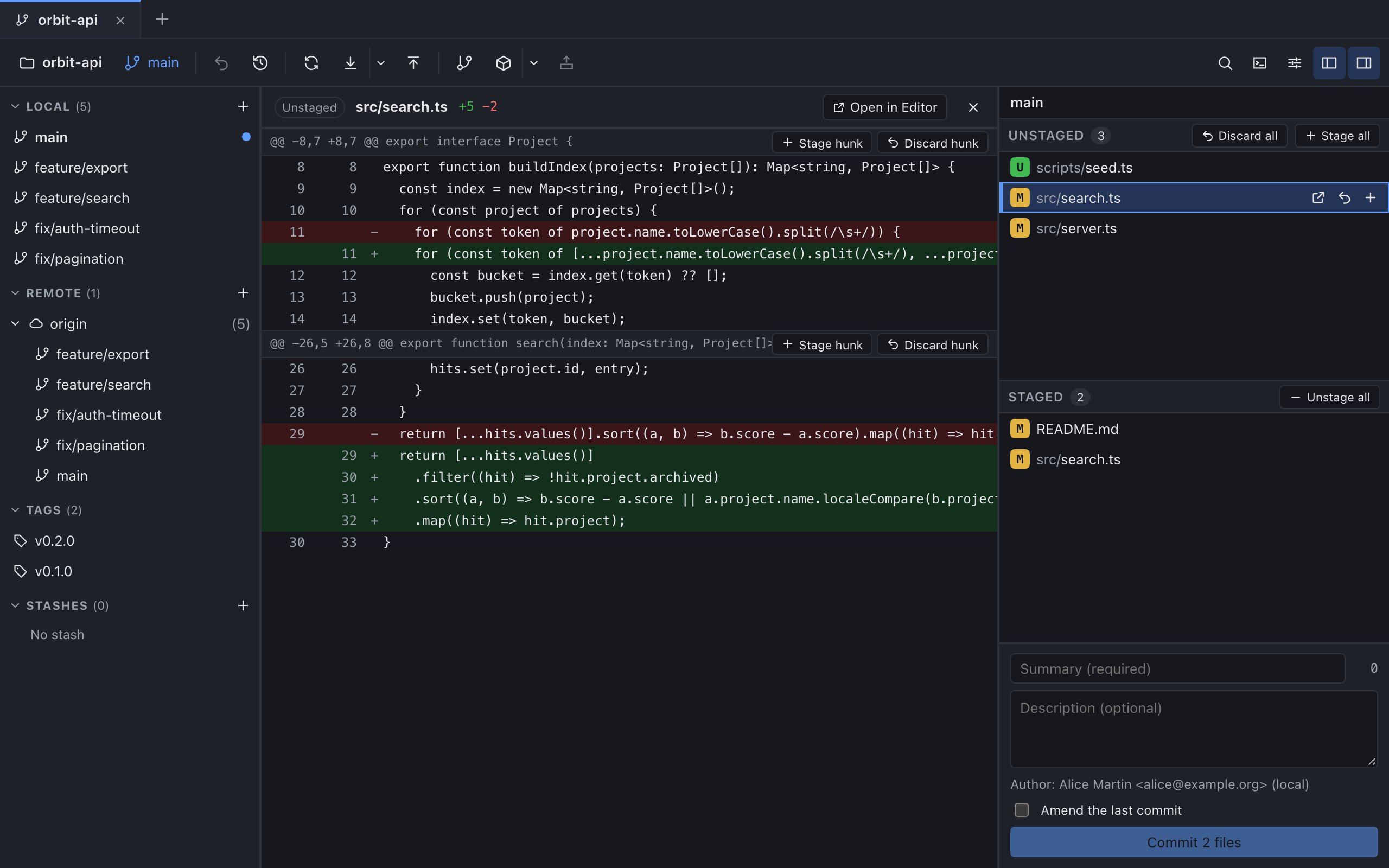
See how a merge or rebase affects history and refine your local commits.
Read the interactive rebase guide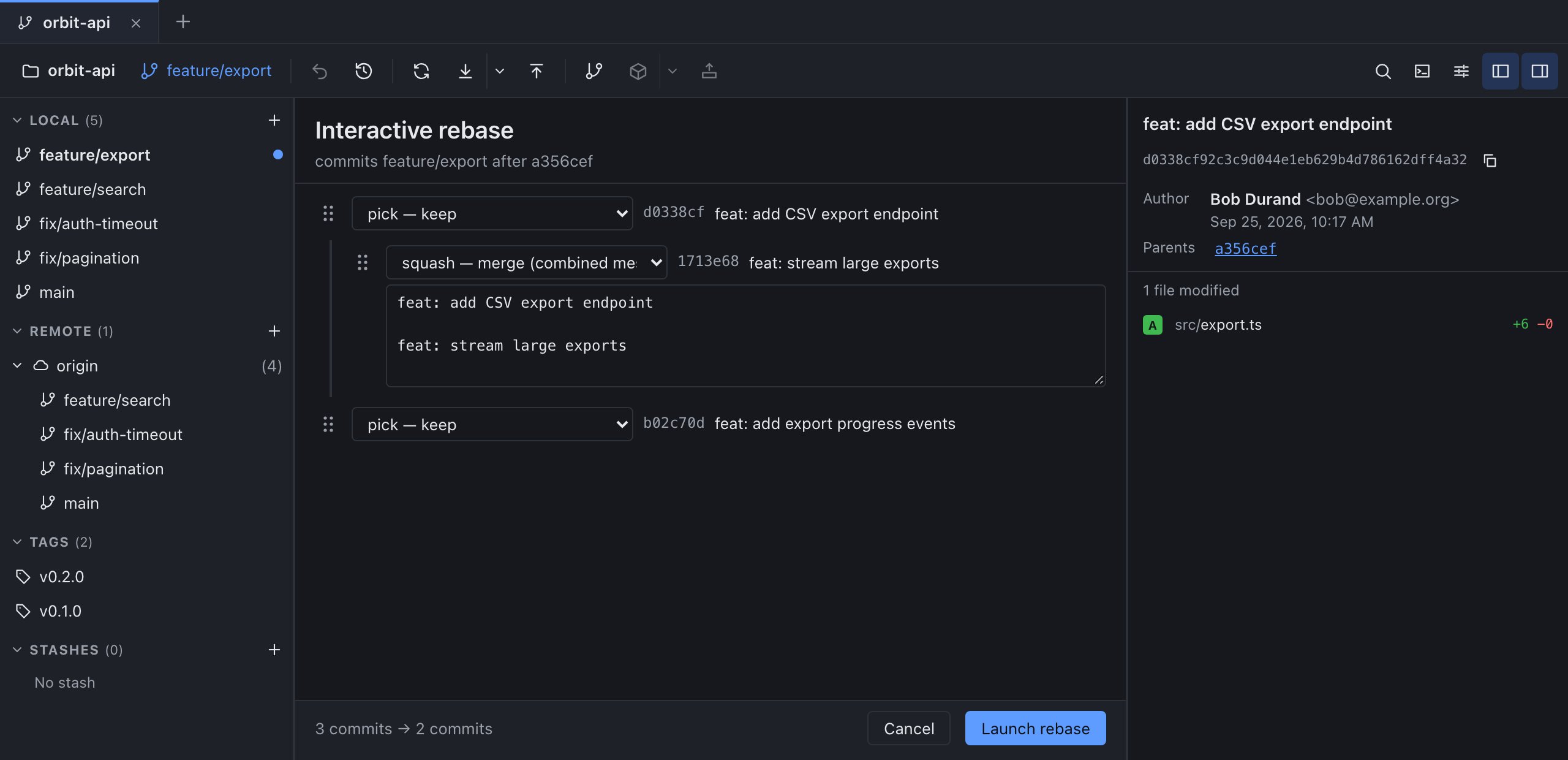
Git clients
Looking for a GitKraken alternative? Compare graph, staging, rebase and platforms from dated sources, test on one repository, then pick your Git GUI.
Commits
Use git commit --amend to fix the last commit message or add a forgotten file, see why the commit ID changes, and what to do if it was already pushed.
Commits
Git diff staged shows what your next commit will contain. Compare git diff and git diff --cached on a partially staged file, then read it in GitMini.
GitMini installers are published with each release on GitHub. The download section lists the systems and architectures available in the latest one.
Yes. GitMini relies on Git 2.30 or later, installed and available in your PATH.
Yes. Open a Git repository that already exists on your disk: GitMini reads its history and its current changes.
Pick the entry that matches your system, as the latest release provides it: macOS Apple Silicon or Intel, Windows, or Linux as AppImage or DEB.
Add a remote by its URL; authentication goes through SSH or your Git credential helper. This is not a built-in GitHub account sign-in, which is not available at the moment.
Pick the download that matches your system. No account or form required.
The latest version is published on GitHub, with every installer and its checksums.
Download from GitHubmacOSApple Silicon
Not available yet
macOSIntel
Not available yet
Windowsx64
Not available yet
LinuxAppImage
Not available yet
LinuxDEB
Not available yet
GitMini needs Git 2.30 or later, available in your PATH.